Admin license lookup
Support-only tool. Uses admin secret to inspect license records by MAC Address or purchase token.
No lookup results yet.

Point the portal at your API origin, then verify health before signing in or pairing devices. Raw responses stay here in the secret diagnostics area.
https://api.ultraiptv.uk.portal.ultraiptv.uk and api.ultraiptv.uk share the same site for cookies.Waiting for a health/config check…
Pairing responses and technical payloads are stored here so the main portal can stay user friendly.
No hidden diagnostics captured yet.
Support-only tool. Uses admin secret to inspect license records by MAC Address or purchase token.
No lookup results yet.
Support-only tool. Rebind a real PRO purchase to the current MAC Address, or apply/remove a temporary rescue override when device IDs drift after an update or reinstall.
No rescue actions yet.
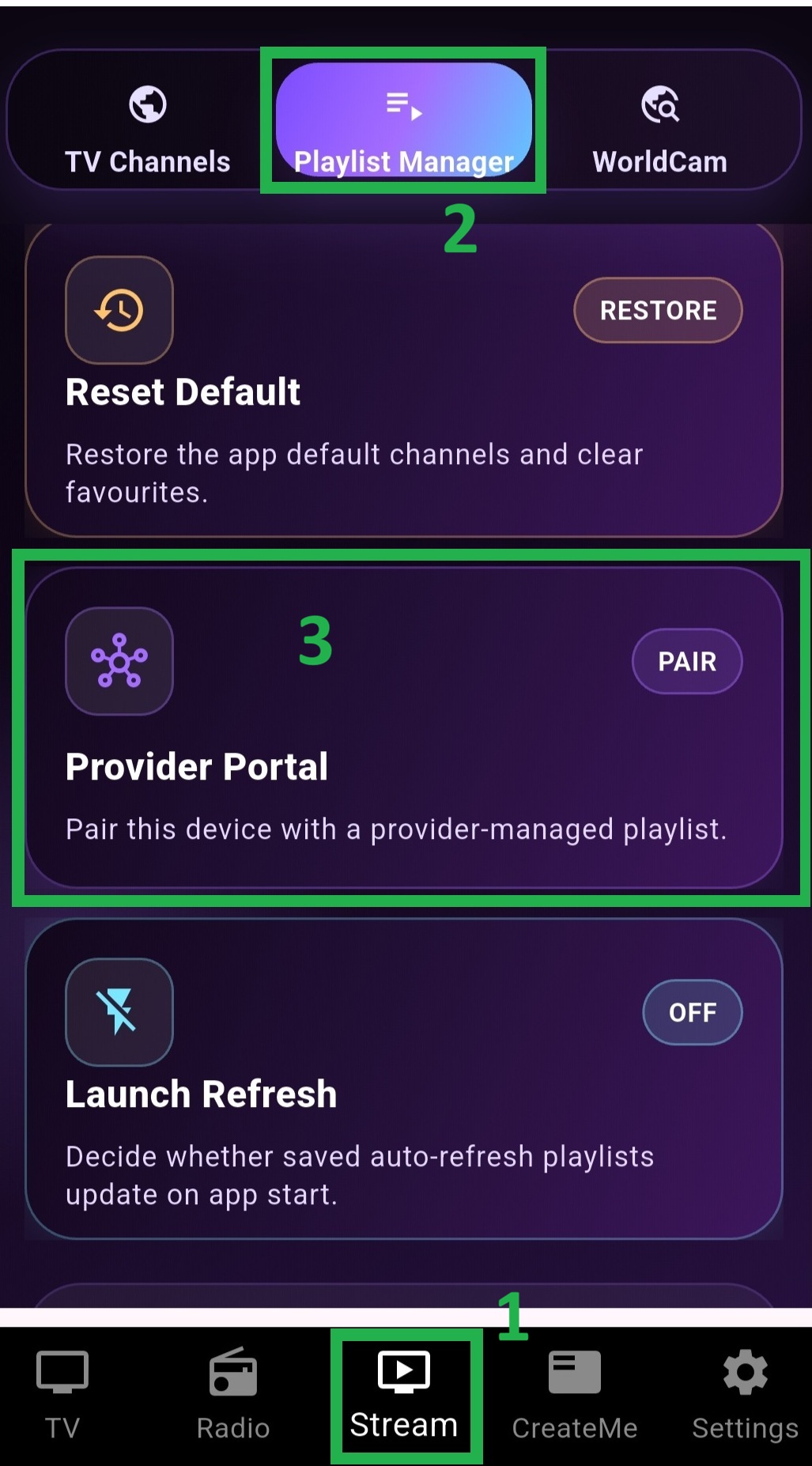
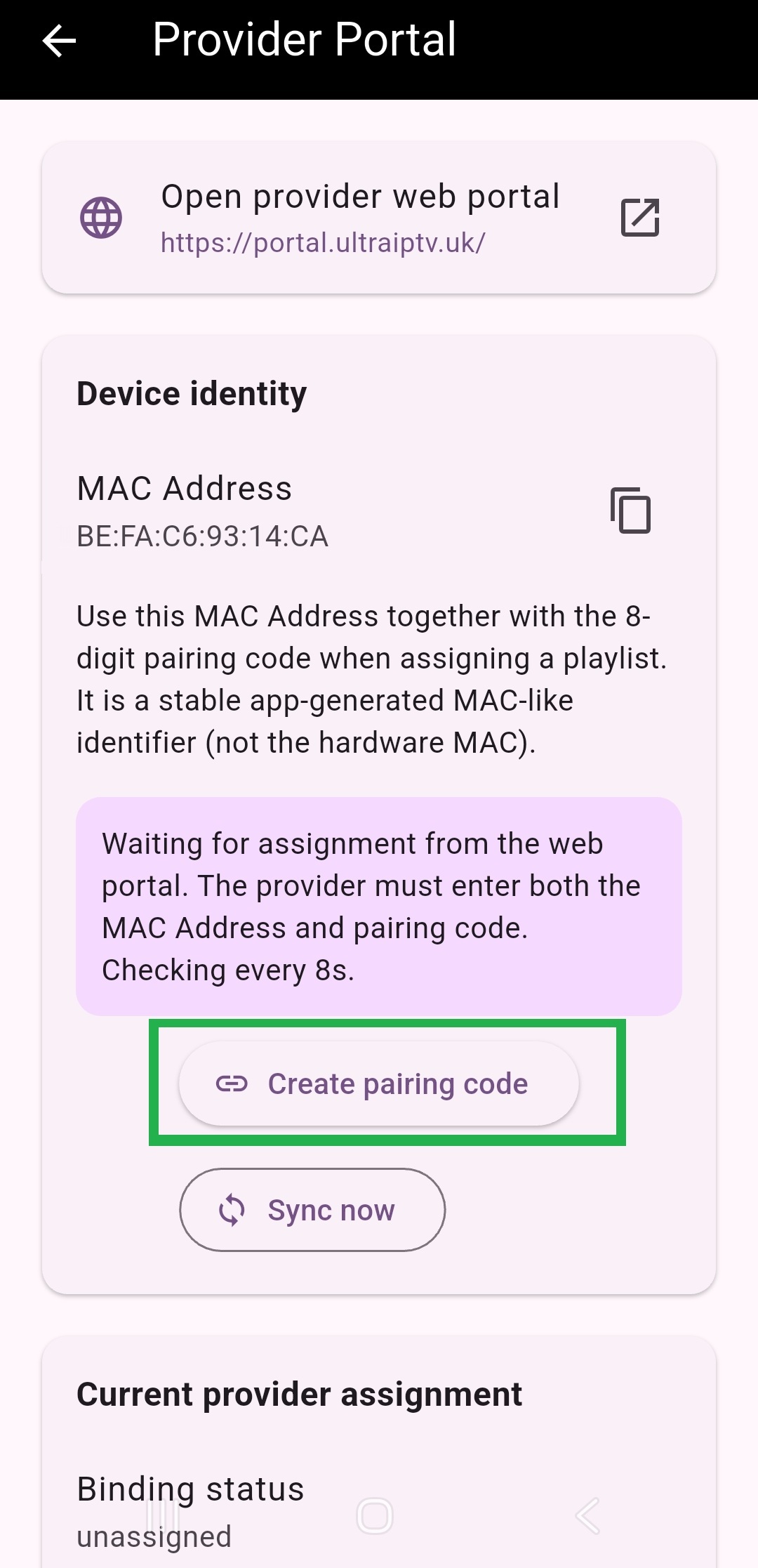
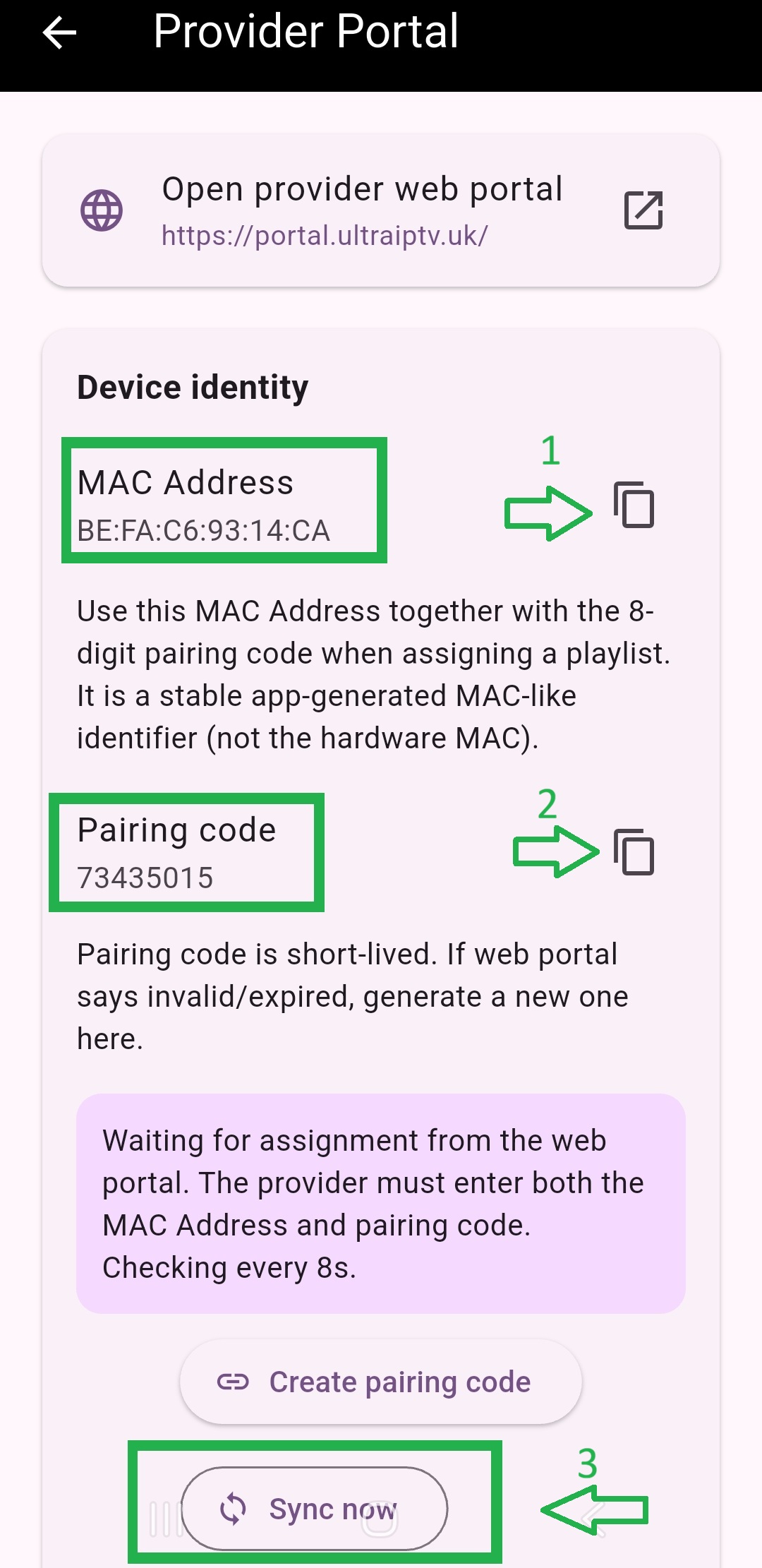
Ask the customer for the app-generated MAC Address and the current 8-digit pairing code, then paste the playlist details below. Use advanced sign-in only when you want saved customers, expiry dates, and reusable profiles.
The customer opens Provider Portal in the app, copies the MAC Address, then generates the short-lived pairing code.
Create or sign in to save customers, reusable playlist packages, access expiry dates, and audit logs. The same MAC + pairing flow still applies.
Use the same email every time. New providers are created automatically after the 6-digit verification step.
If Google sign-in is enabled on this deployment, providers can create an account or sign in with one click. Otherwise the portal falls back to email verification codes.
Keep the simple MAC + pairing workflow, then layer on reusable management when you need it.
Friendly updates for customer setup, device pairing, and service changes in this browser session.
Pair first, then use the advanced tools only when you need longer-term provider management.
Use the customer's MAC Address and 8-digit pairing code from the app, then choose the customer and playlist package.
Track customer, access, and playlist-package changes for this provider account.
Create and maintain provider-owned customer records.
| Customer | Status | External ref | Updated | Actions |
|---|
Link a customer, a device, and a playlist package, then control expiry and status.
| Status | Customer | Device | Playlist package | Valid from | Valid to | Last seen | Actions |
|---|
Reusable M3U + EPG bundles for faster device setup.
| Profile | Status | Playlist URL | EPG URL | Updated | Actions |
|---|
Provider-visible activity trail from the Worker audit table.
| When | Action | Target | Details |
|---|
Set the provider or business name that customers and staff should recognize before you start pairing devices.